Indexing & Slicing
Because strings are ordered collections of characters, every character in a Python string sits at a specific numbered position called an index. You can grab a single character using brackets [] or extract a section of text using slicing [:].
Index Positions (Start at 0)
Python counts positions starting from 0 from left to right. You can also count backward from -1 starting from the right end:
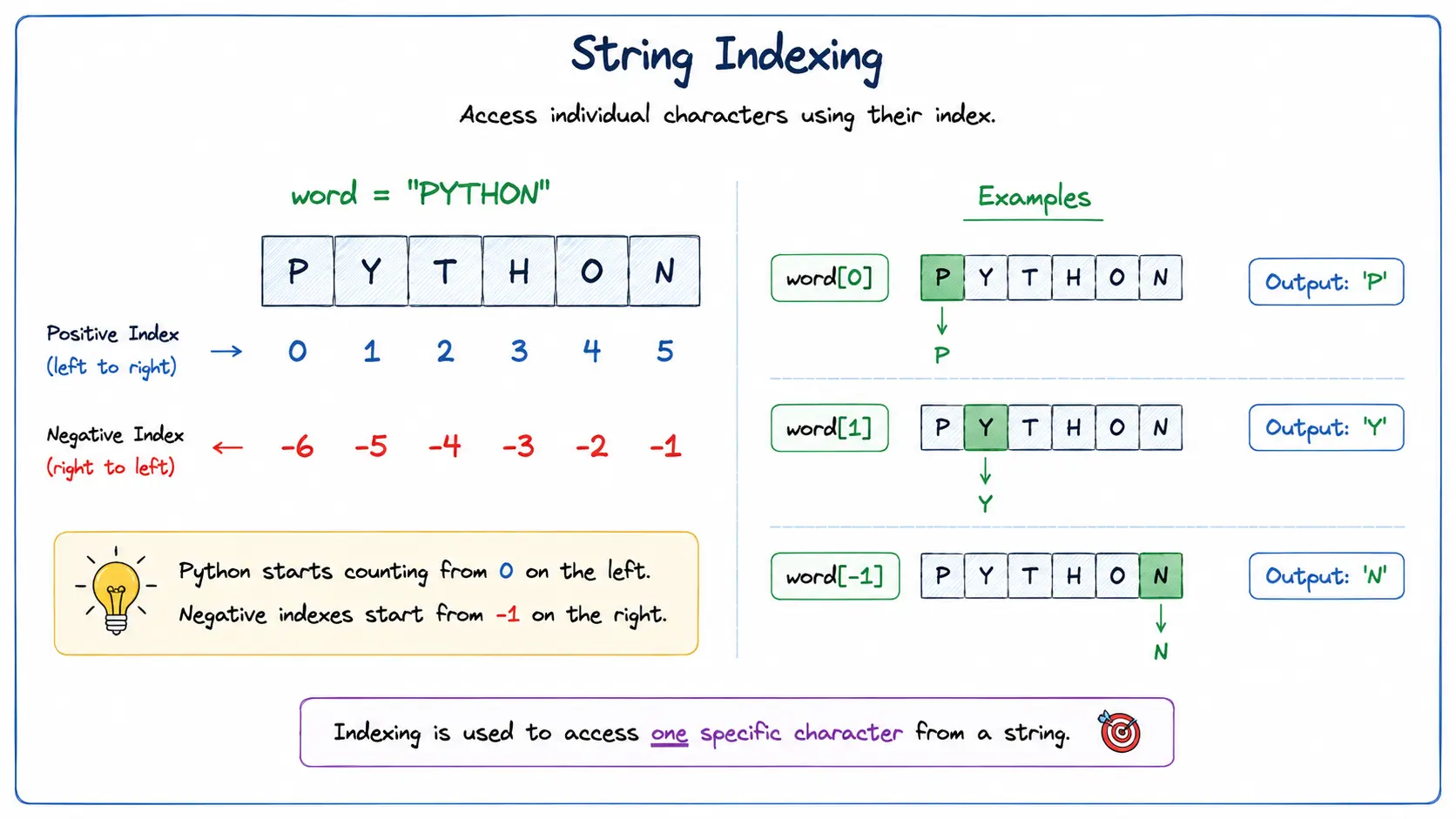
Visual Guide: Accessing individual characters using positive and negative indexing.
word = "PYTHON"

# Grab the first character
print(word[0])   # Output: P

# Grab the second character
print(word[1])   # Output: Y

# Grab the last character using negative indexing
print(word[-1])  # Output: N
Slicing Text ([start:stop])
To extract a substring (a smaller piece of the text), use a colon : inside the brackets. Python starts taking characters at start and stops just before reaching stop:
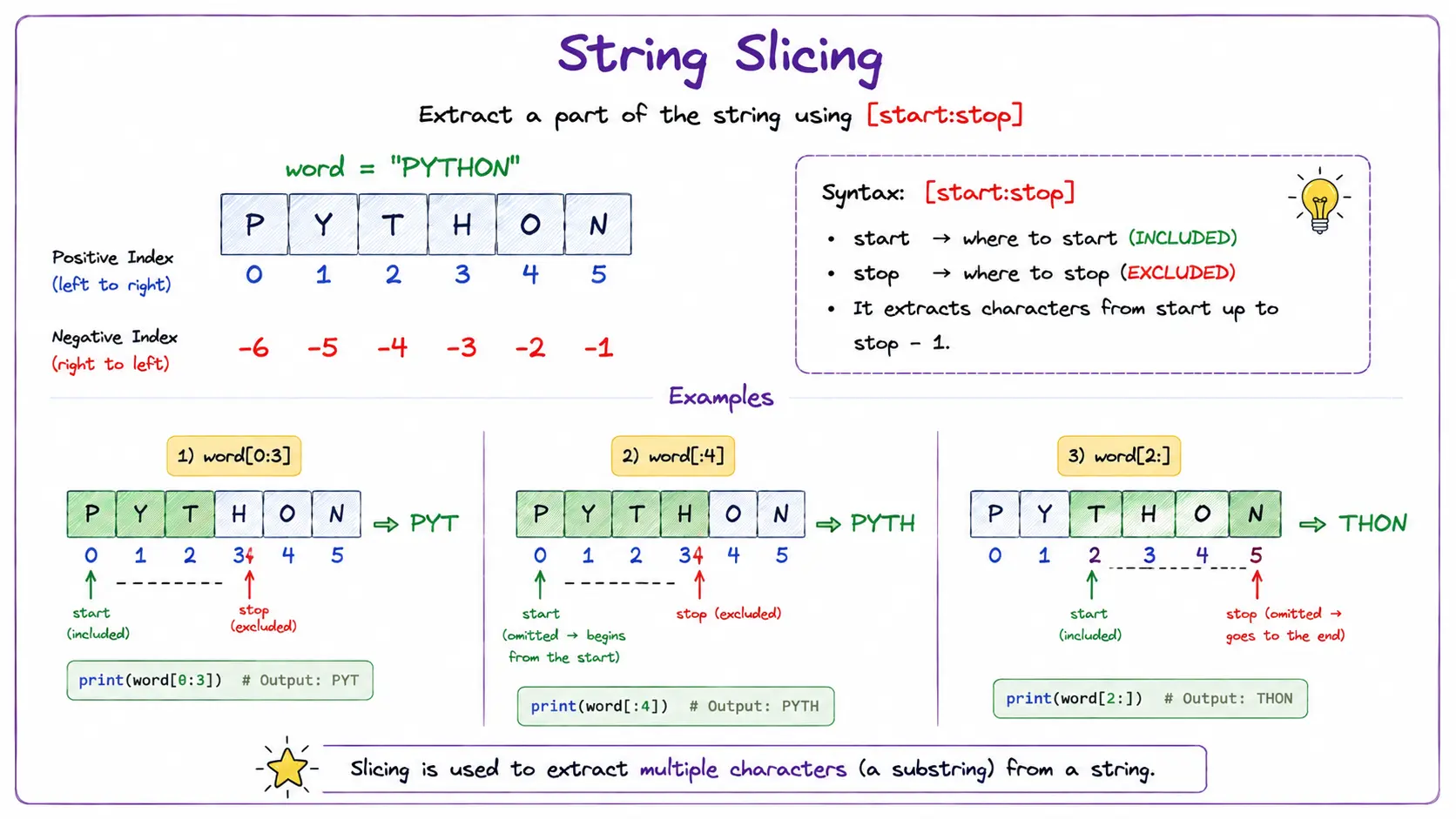
Visual Guide: Extracting a part of a string using slicing.
language = "PYTHON"

# Grab characters from index 0 up to index 3 (gets index 0, 1, 2)
print(language[0:3])  # Output: PYT

# Leave out the start index to begin from the very first letter
print(language[:4])   # Output: PYTH

# Leave out the stop index to go all the way to the end
print(language[2:])   # Output: THON
Step Slicing ([start:stop:step])
You can add a third number called the step to jump over characters or change the direction of reading:
- A positive step (e.g.
2) moves forward from left to right, skipping numbers. - A negative step (e.g.
-1) moves backwards through the string from right to left, which allows you to reverse text easily!
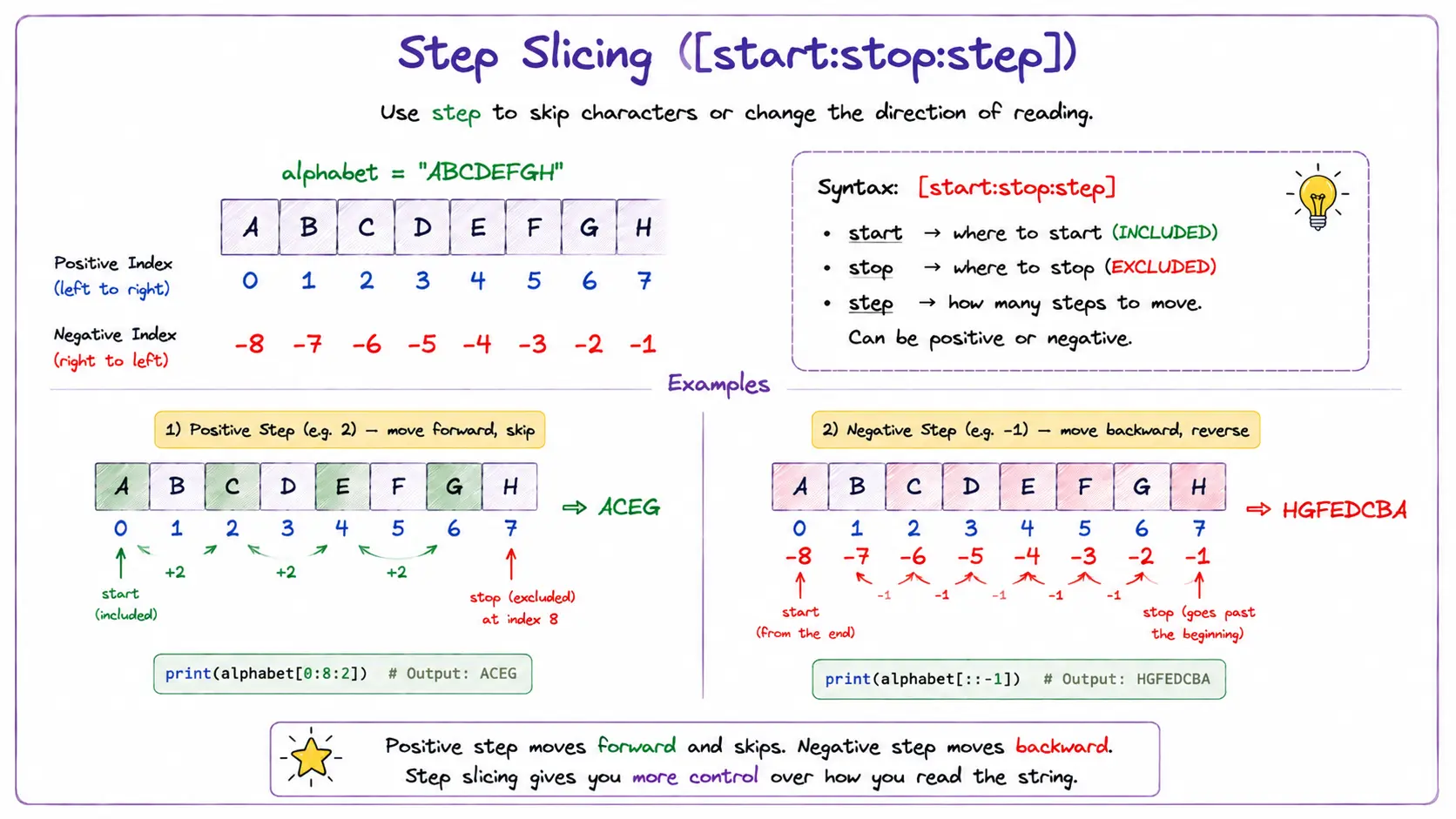
Visual Guide: Understanding step slicing to skip characters and reverse strings.
alphabet = "ABCDEFGH"

# Jump every 2 letters
print(alphabet[0:8:2])  # Output: ACEG

# Reverse the entire string with step -1 (moves backwards from right to left)
print(alphabet[::-1])   # Output: HGFEDCBA
Strings Cannot Be Changed (Immutability)
Once a string is created, you cannot swap or replace an individual letter inside it using index numbers. If you need modified text, you create a new string variable:
text = "Cat"
# text[0] = "B"  # TypeError! Python strings cannot be modified in place.

# Right way: create a new string
new_text = "B" + text[1:]
print(new_text)  # Output: Bat
- Zero-Based Indexing: The first character is always at index
0, not1(word[0]is"P"in"PYTHON"). - Stop Index Exclusion: In slicing
[start:stop], thestopposition is excluded (e.g.,word[0:3]gives indices 0, 1, 2). - Index Out of Range: Accessing an index
>= len(string)raises anIndexError.
Quick Summary
- Indexing (
word[i]): Access individual characters using positive (left-to-right from0) or negative (right-to-left from-1) indices. - Slicing (
word[start:stop:step]): Extracts a range of characters up to (excluding) thestopposition. - Shorthands:
word[:3]starts from the beginning;word[3:]goes until the end. - String Reversal:
word[::-1]reverses the entire string using a negative step.
What's Next?
Now that we know how to access characters and slices, can we modify a character in place? Let's uncover one of Python's most important concepts in Mutable vs. Immutable (String Immutability)!